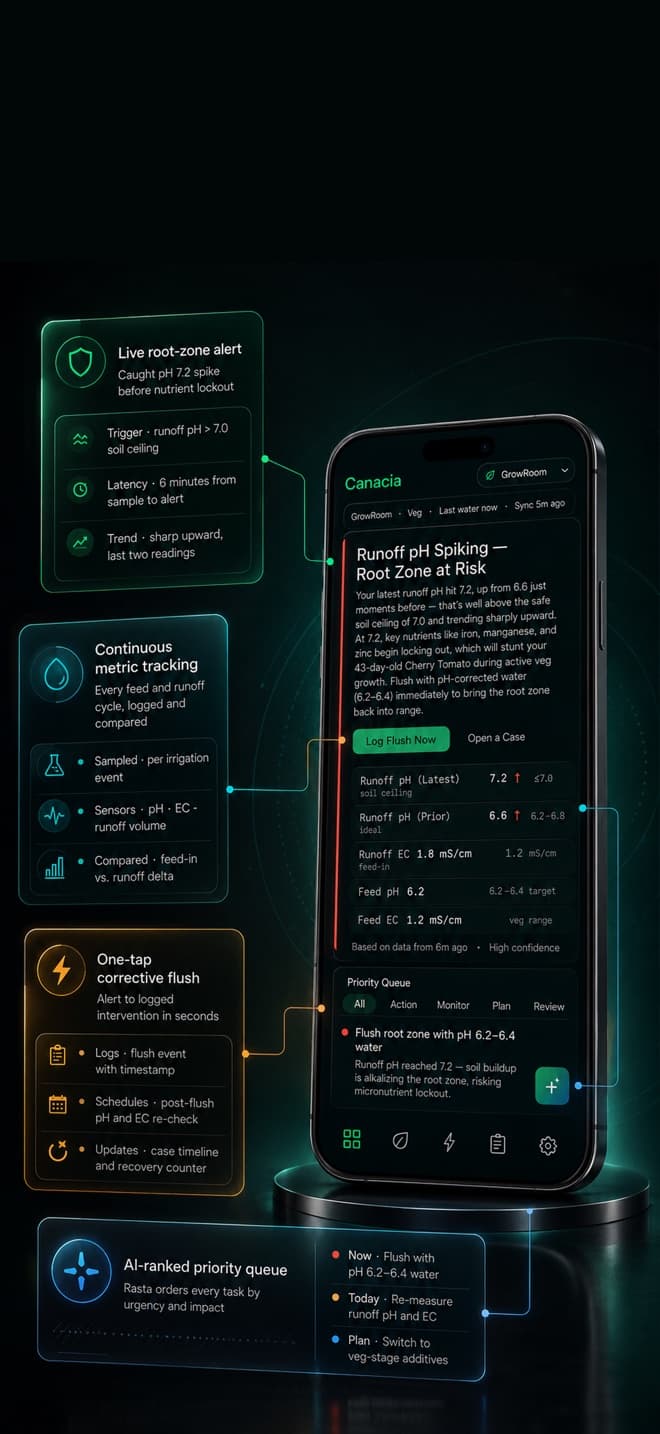
It's 2am and a leaf looks wrong.
Twelve forum answers, twelve different diagnoses. Canacia's answer is one more opinion too — but it's the only one built on the feed log, the pH curve, and yesterday's photo of that exact plant.
HOW IT WORKS
One sick plant,
start to finish.
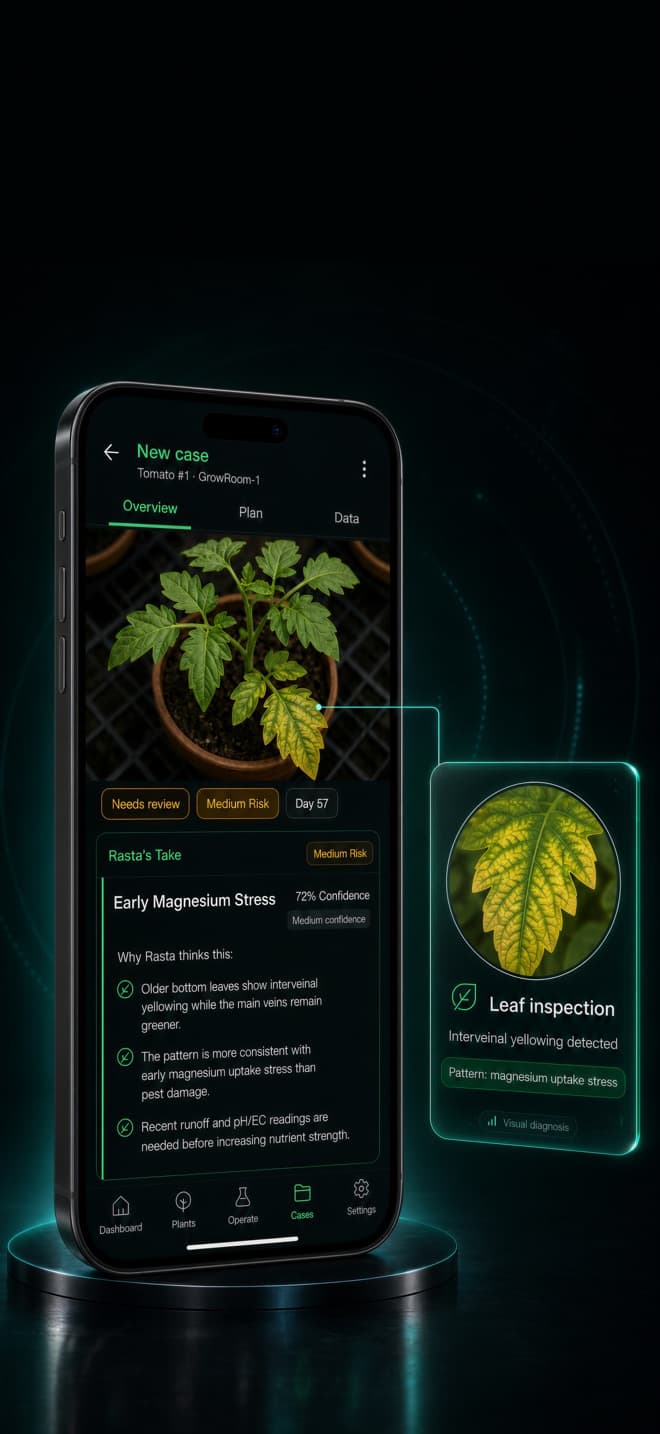
Capture
Photograph the plant. Add a note if you want. That's the whole job.
Context joins in
Canacia pulls in the feeds, pH/EC readings and environment data you logged for that plant.
Probable causes, ranked
You get a ranked list of probable causes with confidence levels — ordered by match against your recorded data, not generic symptom charts.
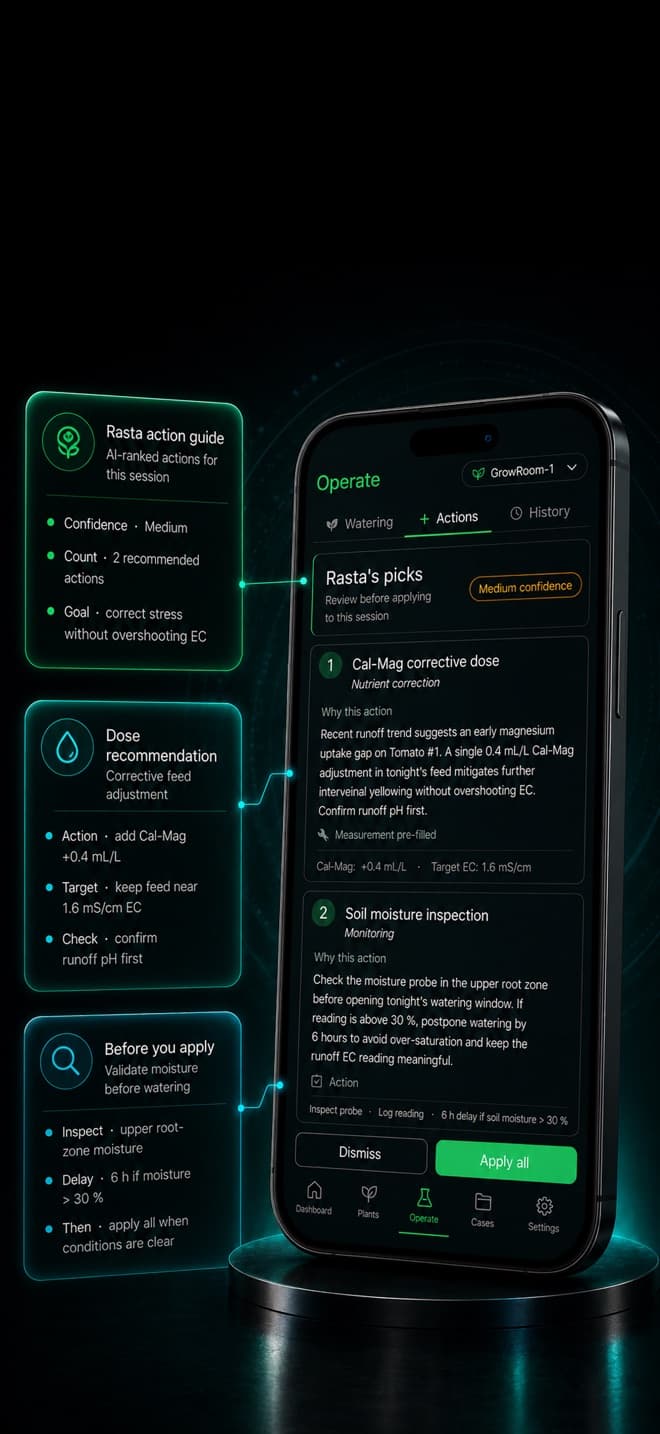
A plan, not a guess
A corrective task plan with timing. Nothing is applied automatically — you decide what happens in your grow.
Canacia advises. You act. No yield promises, no miracle cures — ranked hypotheses and concrete next steps.
RASTA
Talk it through.
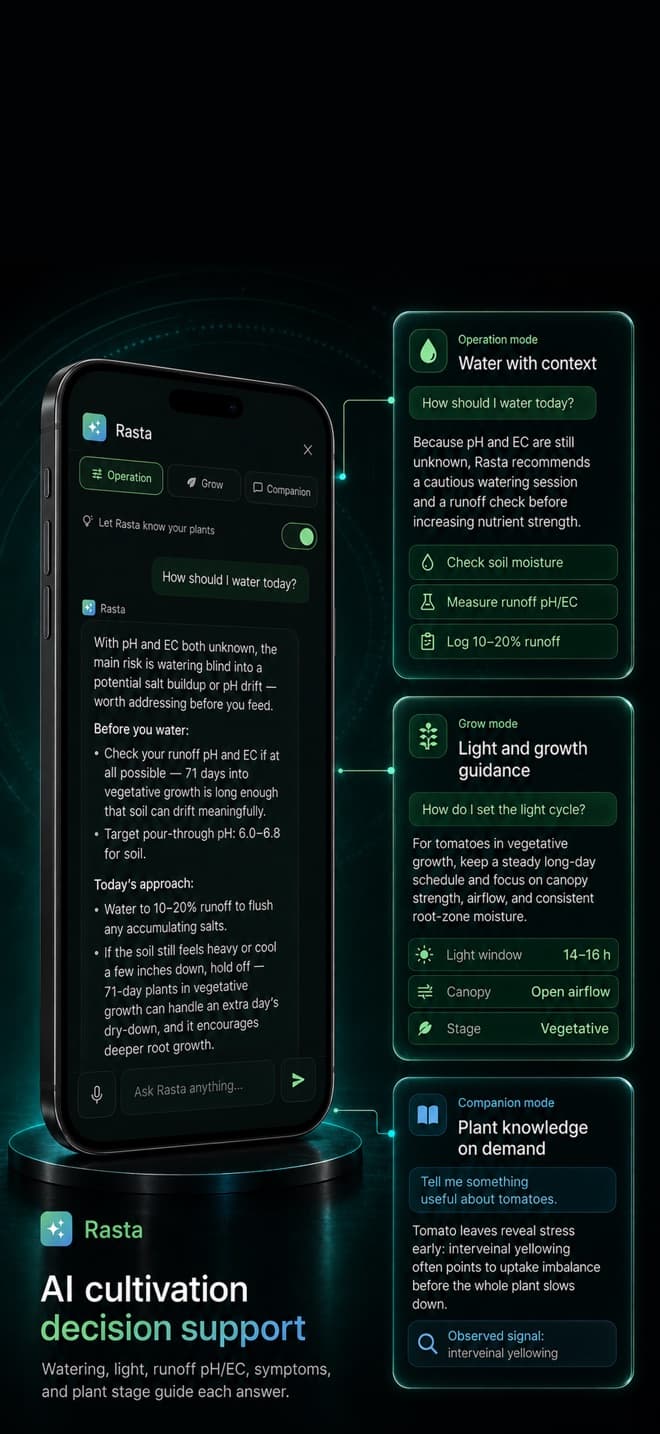
Rasta is Canacia's assistant — grow-aware, scoped to your grow, and it tells you when it isn't sure. Ask by voice or keyboard.
Operation
Fast, precise answers while your hands are busy.
Grow
Deeper guidance on stages, feeding and environment.
Companion
Thinking out loud at the end of a long day.
Voice is for asking — Rasta never logs actions on its own.
OPERATE
Log like it matters.
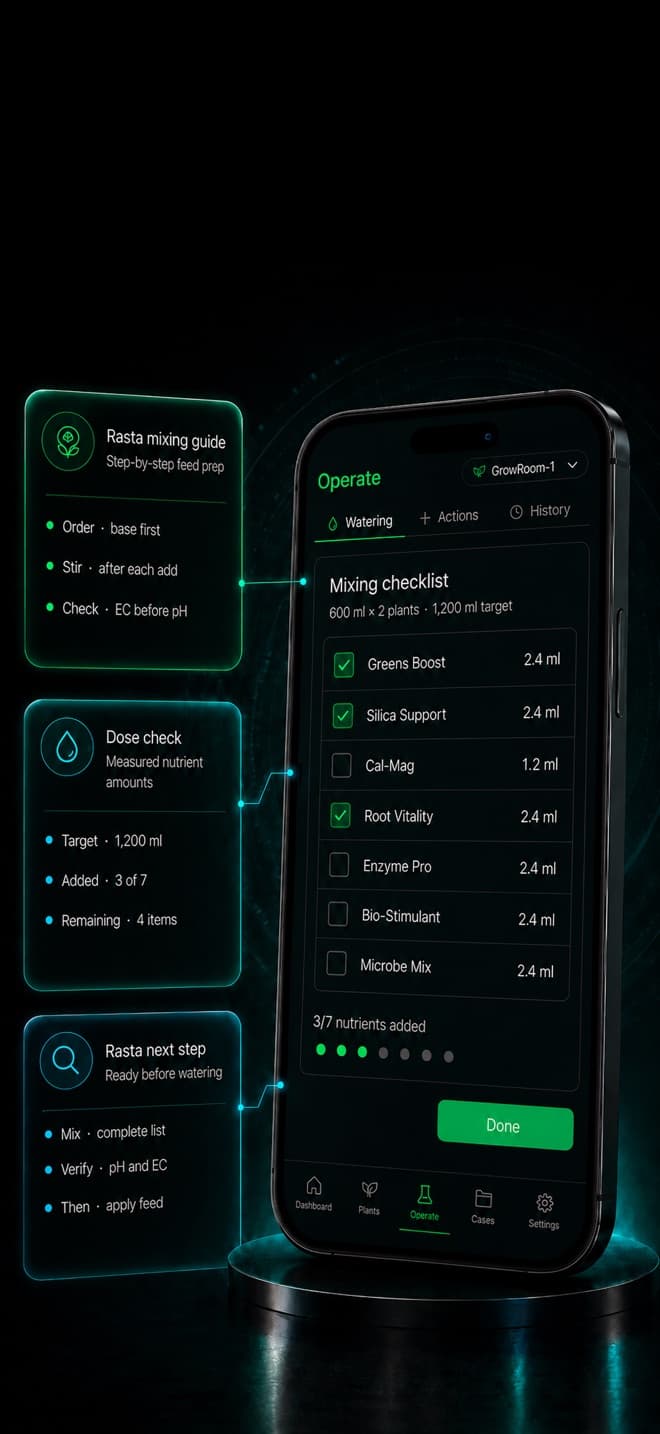
Guided sessions make feeding and measuring consistent — and consistent logs are what make later cases sharp.
Guided feeding
Run a session step by step, recipe and volumes in front of you.
pH/EC over time
Spot drift while it's still a trend, not a symptom.
Inventory & reminders
Your nutrient stock and your schedule, in one place.
THE RECORD
Your grow, remembered.
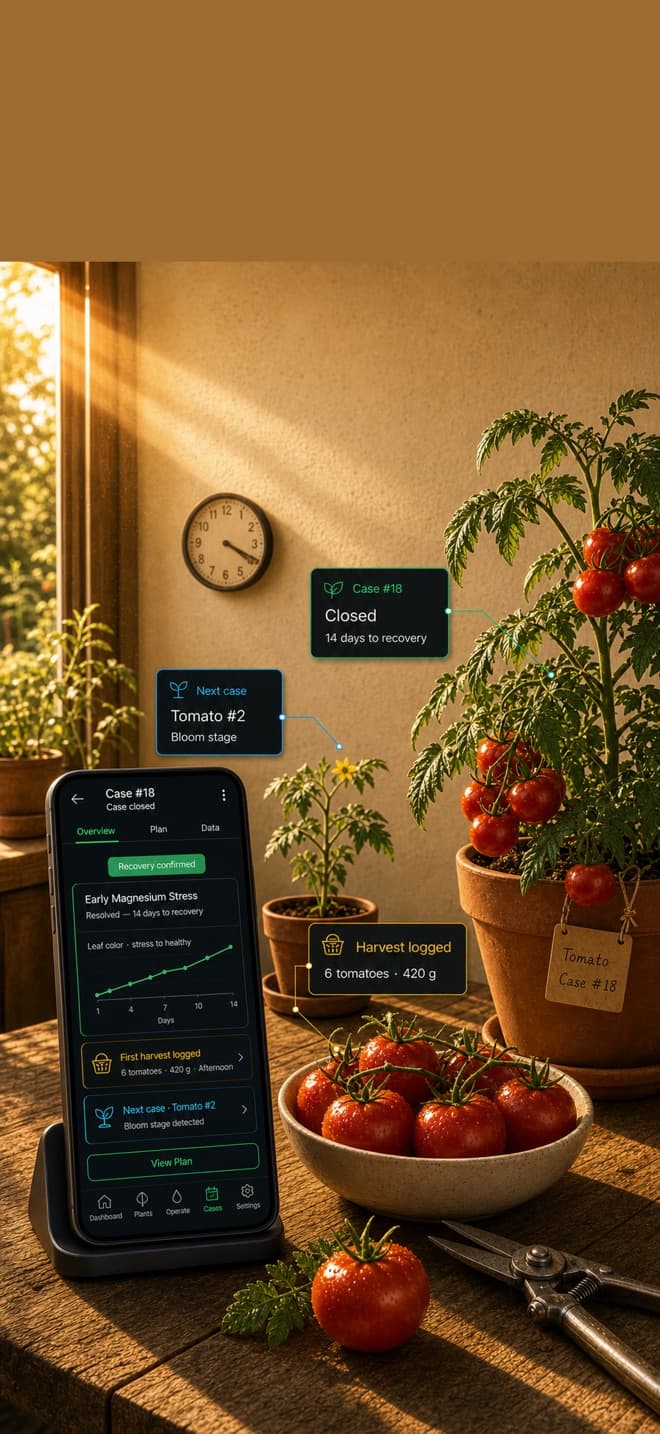
Timeline diary
Every log lands on the plant's own timeline.
A photo a day
One photo a day becomes the plant's visual history.
Environments
Tents, rooms and lights — the context every case needs.
The more you've logged, the more the next case has to work with.
PRIVACY
Private by construction.
Not a promise page — a list of mechanisms you can check.
No location permission, ever
MechanismThe app never asks for location permission, and every photo is EXIF/GPS-stripped twice before upload.
How to check this →Start without signing up
MechanismGuest mode works without an identity — no email, no name. Connect an email later only if you want recovery.
How to check this →Pay without introducing yourself
MechanismOne identifier — an opaque account ID. No email, no name, no advertising IDs on Canacia's side.
How to check this →Delete means delete
MechanismOne action erases your server data, your files, and the account itself.
How to check this →PLANS
Two plans.
Tracking is free. AI work has monthly allowances — Pro and Expert raise them.
Pro
More AI each month: more chat, more case analyses.
Expert
Our biggest AI allowance — a bigger AI plan, not access to human experts.
Prices are in the app today. They'll be printed here as soon as App Store review locks them — we won't publish a number that might change.
GET CANACIA
Three ways in.
App Store
Download on the App StoreGoogle Play
Not on Google Play yetDirect APK
Download & verify →Download straight from us and verify the checksum and signature yourself. For growers who'd rather skip the store. APK & verification →
We're new. Zero reviews, and we won't invent any — judge what you can check: the permission list, the checksum, the privacy page.
18+. Available in selected jurisdictions. Use Canacia only where cultivation is lawful for you.FAQ
Straight answers.
Is Canacia legal to use?
Canacia is an 18+ record-keeping and guidance tool, offered in selected jurisdictions. Whether cultivation is lawful where you live is a question of your local law, and it stays your responsibility — the app doesn't change that either way.
What does "advisory only" mean?
Canacia ranks probable causes and suggests steps. It never applies anything by itself, and it won't promise yields or cures. You read, you decide, you act.
Where does my data live in guest mode?
Your grow records stay on your device unless you turn on backup — but photos you submit for a case analysis, and anything you ask Rasta, are processed on our servers to do their job. Connect an email in Settings to make the account recoverable. An identity-free recovery option is on our roadmap.
What happens when I delete my account?
The server erases your data, your files, and the account itself, and the app clears data on your device where supported. There is no half-deleted state — backups and processor records expire on short, fixed windows, and nothing is kept for analytics.
How will I verify the APK?
Every APK release will ship with a SHA-256 checksum and signature instructions on the download page, so you can confirm the file came from us and wasn't modified.